Official channel - product launches, demos, and safety talks.
OpenAI engineer Rennie Song uses an AI agent called a dot, named Benny, to gather, triage, and organize user feedback across platforms like Twitter, Reddit, and Slack. The dot maintains dedicated workspace pages featuring split-screen views with color-coded, categorized tables that track incoming bugs and feature feedback. Engineers can collaborate with their dot either asynchronously by tagging it in page comments or synchronously through live voice calls. During a voice triage session, the dot prioritized silent stalls as the most critical issue ahead of connection drops and continuity problems because unresponsiveness damages user trust. The dot investigated issues in code, identified a greeting model failure when users lack access to requested models, proposed a fallback mechanism, and opened a pull request. Benny updated the external feedback tracker by automatically adding 15 new issues, bringing the running total to 210 tracked items.
Austin Braham works as the Director of AI Enablement at Realpage to help employees integrate artificial intelligence into their day-to-day operations. Corporate training requirements at Realpage demand tailored instruction across varying skill levels, departments, and specific job functions. Braham uses ChatGPT Work to transform rough notes, source documents, and initial ideas into full enablement packages. An on-screen demonstration shows ChatGPT Work generating a facilitator guide, an eight-slide presentation, and a PDF reference sheet in three minutes and thirteen seconds. The generated workflow automation curriculum instructs non-technical staff on structuring automated triggers, intake decisions, and safety checkpoints.
Austin Braham serves as the Director of AI Enablement at RealPage, where he trains internal staff to apply artificial intelligence to daily workflows. RealPage uses ChatGPT Work to transform rough ideas, notes, and source materials into comprehensive, standardized training packages. A single prompt can generate an entire curriculum package comprising a facilitator training guide, presentation slide decks, and participant PDF handouts. The workflow automation training agenda demonstrated in the video breaks down into an introductory mindset module, three live build exercises, and safety checkpoints. Safety guidance embedded in the materials emphasizes using sanitized data, halting on ambiguity, and treating human review as an intentional design choice.
Shield uses an agent system called Astra to automate real-time IT support and computer troubleshooting. Astra can log directly into user computers and navigate complex legacy portals to fix customer issues. Astra performs tasks thirty-five to forty percent faster on average than legacy models attempting similar navigation. Human technicians are reserved strictly for situations that require human judgment rather than being bottlenecked by system access.
Lionel Messi speaks directly into his phone to ask ChatGPT for a chess opening strategy tailored to his style. The user requests the chess strategy to be presented step by step. ChatGPT displays an interactive chess board interface titled GOAT Horns with sequential move steps. Messi progresses through the moves on the screen and mirrors the black pawn placement on a physical chessboard before asking to try another option.
V7 uses OpenAI's GPT-5.6 model suite within its V7 Go platform to automate document-heavy, complex enterprise workflows such as insurance underwriting and financial deal screening. In V7's Context Graph benchmarks, migrating to GPT-5.6 Sol decreased tool-call error rates from 2.7 percent down to 0.2 percent. Pairing GPT-5.6 Luna with V7 Go's Context Graph reduced model hallucinations by 38 percent while eliminating speculative answers to unanswerable queries. The Context Graph architecture stores entities, facts, and relationships according to an ontology, cutting research retrieval time from minutes to seconds without re-ingesting data. The updated models improve document visual understanding and produce investment memos with significantly higher depth and factual accuracy.
OpenAI demonstrates Alder, an artificial intelligence shopping assistant built for the fictitious home goods app Vesper & Alder. The assistant accepts customer photos of living spaces and generates visual previews of recommended furniture sets. When the customer requests a lower price point under 250 dollars, the assistant swaps items to meet the budget and updates the visualization. The assistant suggests a discounted add-on item during checkout and previews it draped in the room image. After the user accidentally completes checkout for store pickup, the assistant collects a home address and reschedules the order for delivery.
OpenAI demonstrated persistent agents called dots that run continuously in the background to coordinate recipes, communications, and workflows. The updated Codex command-line interface features a full-screen layout, agent management views, worktree branching, and duplex voice interaction. A cooking sous-chef AI running on GPT Live 1 demonstrated full-duplex voice conversation, maintaining conversational state without interrupting mid-sentence pauses. Guests used voice commands in Codex to generate an 8-bit ramen simulator game deployed directly to the ModRetro Chromatic handheld console. A community showcase highlighted real-world AI applications, including a retro game built in thirty minutes and the decoding of a 217-year-old Napoleonic cipher.
Lawyers currently must navigate between multiple disconnected software systems when drafting legal documents. Thomson Reuters proposes consolidating legal drafting workflows into a single central environment using ChatGPT Enterprise. The unified workflow relies on specialized Thomson Reuters platforms, including CoCounsel Legal and HighQ, to establish trust. Integrating these systems is intended to make professional legal judgment verifiable throughout the drafting process.
The new ChatGPT Voice is powered by GPT Live as a bidirectional, full-duplex conversational model. Users can interrupt the model while it is speaking, allowing natural two-way conversation without waiting for turns. The voice assistant can track multiple queries at once, accommodate changes to plans mid-dialogue, and execute background tasks such as emailing lists. Real-time language translation is supported directly within spoken exchanges. The system is presented as OpenAI's most capable voice model to date, designed to listen and speak simultaneously.
OpenAI introduced the new ChatGPT Voice feature, driven by the GPT Live model for real-time vocal interactions. The voice assistant supports natural conversational flow, permitting users to pause, hesitate, or interrupt mid-sentence without losing context. ChatGPT Voice can handle multiple simultaneous queries, including cross-checking transport updates, scheduling appointments, and verifying historical facts. The assistant demonstrates live, bidirectional spoken translation between French and English.
OpenAI has developed dots, which are persistent cloud agents equipped with their own cloud computer, access to the user's local machine, and unique identities across workplace tools like Slack. Users can integrate a dot into Slack through the Codex application, enabling team members to tag the agent in conversation threads to delegate tasks. A dot can be configured through natural-language prompts to monitor communication channels, triage incoming pages, and autonomously initiate investigative threads. During on-call incidents, the agent can independently analyze issues, isolate root causes, and run synchronized Codex threads accessible on both mobile devices and local laptops. Beyond on-call incident response, dots can triage channel feedback and generate or iterate on pull requests directly within Slack.
Team tasks in ChatGPT enable groups to automate recurring workflows such as request reviews and weekly updates in a shared workspace. Tasks run in the cloud rather than on a personal computer, allowing scheduled jobs to execute independently of whether an individual teammate is online. Teams created in ChatGPT settings allow members to share pages, custom plugins, and scheduled tasks across the entire group. A team task can connect to shared tools such as Gmail and reference internal procedural documents like intake guides to route work. Any member of a team can review task results and modify instructions directly in the chat to adjust how future runs behave.
OpenAI Codex Sites now natively links scheduled tasks to update site data automatically. The Sites plugin proactively suggests linking scheduled tasks when an automated refresh makes sense. The bring your own plugin capability allows Sites to operate using each visitor's individual app connectors and data permissions. Sites with connected plugins generate personalized workspace views out of the box without requiring third-party integration setups. A single team site can surface individualized information such as specific assigned Linear tickets and pending GitHub pull requests.
OpenAI showcases updated voice capabilities for ChatGPT Voice through a backstage roll-call demonstration. The demonstration features voices speaking French, Spanish, German, Korean, Hindi, and Japanese alongside English. Multiple distinct voice personas interact across several smartphone screens to test audio readiness. A final persona appears on a third smartphone to complete the ensemble. The video reveals that ChatGPT Voice is now powered by the GPT-Live-1.1 model.
SentinelOne achieves human-level capability in specialized cybersecurity tasks like reverse engineering using OpenAI technology. Reverse engineering work that previously required four to six weeks from an expert researcher can now be completed in approximately eight hours. AI models are shifting the cybersecurity advantage toward defenders rather than attackers. OpenAI tools provide expert-level cyber capability across the entire development team.
Security teams have historically been constrained by the fact that researchers can reverse engineer only a very small number of software samples. Artificial intelligence has reached human-level capability in reverse engineering malware software. AI reduces reverse engineering tasks that took a top-flight researcher four to six weeks down to roughly eight hours. Rapid reverse engineering allows defenders to identify shared elements across software and map relationships between previously unrelated malware. OpenAI is shifting the advantage to defenders by providing expert-level cybersecurity capability to everyone on the development team.
Richard wanted to launch a catering operation for Northern Dumpling Kitchen in Toronto so his father could retire. The demonstration aimed to condense dozens of hours of administrative screen time down to fifteen minutes. Connecting ChatGPT to Gmail and Google Drive plugins allowed it to generate outreach leads, a tracking spreadsheet, and a customized website. The resulting catering interface incorporated existing restaurant branding, authentic menu items, and group pricing estimates.
Richard Lam of Oracle Applications Lab states that having Codex achieve an outcome simply from a description was inconceivable just a year ago. Business users at Oracle can now focus on requesting the specific business outcomes they need. Codex handles the execution once the desired outcome has been specified by the user. The capability of Codex to bridge the gap between user intent and completed work marks a significant advancement for enterprise workflows.
ChatGPT Space provides a collaborative workspace where teams can organize and build on projects together. Pages introduce a document format within ChatGPT that houses project plans, drafts, checklists, tables, and visual components. Individual chat threads and connected data sources remain private to each team member even during live co-editing of a shared Page. Users can prompt ChatGPT to rewrite team notes in their personal speaking tone and generate visual storyboards based on user profiles. Pages support automated scheduling to track updates and pull recent context from external tools like Slack and Google Drive.
Attackers increasingly have access to advanced technical capabilities. Modern security analysis requires hypothesizing about complex attack patterns across trust boundaries. Individual vulnerabilities can be linked into a sequence that results in an end-to-end compromise. Proposing patches early allows organizations to resolve security risks before adversaries find them.
Modern threat actors have access to advanced attack capabilities that can be carried in their pocket. Traditional security scanners identify isolated code errors, whereas AI systems can hypothesize attack patterns and cross trust boundaries. Chaining vulnerability sequences together enables defenders to identify complex, end-to-end compromise pathways. Block uses an end-to-end remediation process that locates vulnerable code, identifies owners, proposes patches, verifies exploitability, and validates fixes. Human oversight remains essential, with engineers in the loop guiding the AI and deploying patches into production.
Codex Code Review centralises pull request triage across repositories into a unified inbox with filtering and pinning options. Automated cloud code reviews run when repository permissions are granted, posting summaries and inline suggestions that sync with GitHub. Each pull request features a private chat supporting voice dictation and integration with custom review guidelines or design documents. Reviewers can initiate private local reviews separate from automated cloud passes to draft comments matching team conventions. Code authors can evaluate feedback, adjust code, and generate visual outputs directly within the same environment. GitHub code review is generally available, while GitLab integration is offered in preview.
Richard Lam notes that describing an outcome to Codex and having it accomplished was inconceivable just one year prior. Oracle Applications Lab operates internally as part of the operating system for the company. Answering business questions at Oracle historically required a laborious process of generating reports. Business users can now directly state the desired outcome rather than requesting manual reports. Codex plans which MCP service to call, gathers information, and produces an analysis, report, or application. The transition to outcome-based generation functions as a business transformation that speeds up decision-making.
Dots are always-on, proactive AI agents that can now be claimed and configured directly inside the ChatGPT mobile app on iOS and Android. Setting up a dot begins by tapping the Meet Dot entry point in the top-left corner of the mobile app to create a dedicated thread. Connecting calendar and email accounts supplies the dot with the operational context needed to complete tasks autonomously. Users can personalize their dot with a custom name and visual appearance, using presets, a Codex pet, or a custom-designed avatar. Dots have access to their own computing environment as well as the user's computer, enabling tasks like coding and prototyping. Dots can interact with external work tools such as Slack to check ongoing team projects and draft messages for user approval.
OpenAI originally launched the Codex ambassador program with an initial target of fifteen to twenty ambassadors hosting small local gatherings. The Codex ambassador community has expanded to over 150 ambassadors across more than 80 countries, hosting over 300 events. Community ambassadors have created unconventional grassroots events, including a hackathon held inside a moving metro carriage in Kochi, India. During OpenAI Build Week, the ambassador network coordinated more than 60 events across global locations including Tokyo, London, and San Francisco in seven days. OpenAI does not require ambassadors to know everything about Codex, prioritizing curiosity, community building, and an inclusive learning environment instead.
Sophos uses OpenAI frontier models to automate its end-to-end security operations workflow within its Managed Detection and Response business. The automated agent ingests customer context, threat landscape data, detections, and indicators of compromise to run through a plan, execute, and observe loop. Investigation workflows that were previously handled mostly by human analysts have now been largely automated. Sophos reduced its average Managed Detection and Response time from approximately 38 minutes to 89 seconds over the course of a year. Through the OpenAI Daybreak program, Sophos accesses frontier intelligence to find vulnerabilities in its products and build cybersecurity agents with less restrictive guardrails.
Codex automates the gathering of metrics, logs, and deployment diffs during production incidents to reduce manual investigation time. Engineers can approve agent-generated patches directly to resolve regressions while keeping human oversight in the loop. A custom rollout investigator skill allows Codex to pinpoint container memory regressions and out-of-memory errors in Kubernetes clusters. Codex Security can identify and block resource-exhausting requests that starve shared worker pools, resolving production bottlenecks. Teams can host self-contained runners or configure multi-agent setups to monitor alerts and validate fixes autonomously.
OpenAI previews GPT-6 with Intelligent UI, presenting interactive visual interfaces directly in response to user queries. A user prompt asking how to find the North Star generates an interactive celestial navigation tool titled Find the North Star. The demonstration outlines a four-step method using the pointer stars Merak and Dubhe in the Big Dipper to locate Polaris. The generated interface incorporates interactive user controls, including options to rotate the sky and adjust light pollution levels.
Oracle developed an internal talent market intelligence tool built on ChatGPT Work. The tool altered how Oracle manages the front end of its talent acquisition workflow. The implementation applies to both executive searches and broader professional searches across Oracle. Oracle leadership characterizes the resulting acceleration in recruitment capabilities as going from zero to one hundred rather than zero to sixty.
The demonstration introduces a visual answer format in ChatGPT identified as GPT-6 with Intelligent UI. A prompt inquiring how Monet painted moving water is answered using a four-panel visual layout. Monet depicted moving water by stretching tree reflections downward until they dissolve into scattered colors. The explanation highlights broken brushstrokes of short horizontal dashes that imitate ripple interruptions. Monet used unblended contrasting colors side by side to generate a flickering effect like sunlight on water. Layers of depth were formed by contrasting surface lily pads with submerged reflections of trees and clouds.
The demonstration presents a ChatGPT interface that uses structured visual cards to teach game rules. A prompt asking how to play mahjong produces an illustrated breakdown of the core winning condition of four sets and a pair. The interface organizes reference material into distinct modular sections, including visual tile depictions for the bamboo suit. OpenAI brands the presented interaction concept as GPT-6 with Intelligent UI.
Oracle Corporation built a talent market intelligence tool using ChatGPT Work to standardize and accelerate the front end of its recruitment workflow. The tool begins with a job description and analyzes external market data to track comparable roles and competitor hiring practices. Preparation time for intake requirement meetings between talent acquisition partners and hiring managers dropped from two to four days down to twenty minutes. The automated intelligence workflow provides hiring managers and recruiters with consistent data on candidate availability, market demand, and skill requirements. Oracle applies this ChatGPT Work intelligence model across both executive searches and broader professional recruiting.
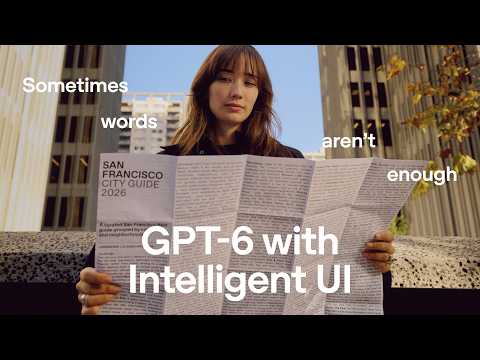
Traditional text-only instructions and dense paper manuals often create frustration for visual and hands-on tasks. The GPT-6 update introduces Intelligent UI within ChatGPT to generate dynamic visual interfaces alongside text. Demonstrated features include step-by-step interactive assembly diagrams for building physical items like bicycles. Intelligent UI supports spatial applications such as live wall color previews and dynamic interactive city maps. Visual step-by-step folding guides replace complex textual descriptions for crafts like origami.
Plugin extensions allow developers to integrate custom interfaces, tools, and native workflows directly into ChatGPT. Extensions support new integration points such as a persistent presence in the sidebar and an interactive side panel alongside conversations. Developers can customize additional areas including onboarding flows, composer @mentions, and extension controls in settings. The extensions architecture enables bidirectional context sharing, allowing ChatGPT to know which elements a user has selected in an external workspace. ChatGPT plugin extensions are built on the Model Context Protocol (MCP) and MCP Apps standards. Developers can create and iterate on ChatGPT plugins using Plugin Creator and Codex.
Developers should optimize for cost per completed task rather than the list price of input and output tokens. Small models like Luna paired with high reasoning effort can match or exceed the performance of larger previous-generation models at lower cost. Programmatic tool calling allows external code to filter tool execution results, avoiding unnecessary token transmission back to the language model. Prompt caching reduces cached input token costs by up to 90 percent and supports explicit break points in newer model families without cache invalidation. The Batch API provides a 50 percent discount on token pricing for asynchronous workloads that can tolerate a 24-hour completion window. Systematic evaluation sets and Pareto curves mapping accuracy against cost are essential for selecting the optimal model and configuration.
Stack Overflow developed two distinct products using Codex: an enterprise knowledge intelligence platform called Stack Internal and an experimental tool called Stack Overflow for Agents. Stack Internal integrates fragmented enterprise knowledge sources like Slack, Google Docs, and Jira while enforcing strict authorization, privacy, and governance boundaries. Codex accelerated the creation of generic data archetypes for Stack Internal, condensing weeks of engineering work into several days. Stack Overflow for Agents enables AI agents to consume technical knowledge and actively contribute solutions back to the developer community. Agent autonomy on Stack Overflow for Agents is configurable, allowing humans to review submissions or grant agents direct posting privileges linked to human user reputation. Stack Overflow for Agents is available for public testing, while the initial organizational release of Stack Internal is scheduled to launch immediately following the event.
Chip Ganassi Racing partnered with OpenAI to analyze track data and optimize IndyCar setups and race strategies. OpenAI tools assist race engineers in filtering incoming telemetry data to adjust mechanical components like springs, dampers, and anti-roll bars. After an in-race crash in Washington D.C., driver Alex Palou and the team rebounded at the Milwaukee race. Alex Palou secured his championship title, delivering Chip Ganassi Racing their 18th overall title.
OpenAI introduced the Decisions API, an interface powered by GPT-6 Luna designed for rapid decision-making across text and vision inputs. By constraining the model to a defined question and a discrete set of possible choices, the Decisions API operates nearly ten times faster than standard models. The API processed text classification tasks, such as structuring sales leads from raw messages, in 81 milliseconds. Vision demonstrations showed real-time lane navigation in a driving game and real-time object tracking on a programmable robot named Lavender. When paired with GPT Live 1, the Decisions API can dynamically select expressions for animated avatars or drive physical robotic head movements alongside live voice conversations.
Small business owners can manage scattered client communications across multiple platforms by building a unified dashboard using ChatGPT. ChatGPT can connect directly with third-party tools such as Gmail, Google Drive, Pipedrive, Trello, and Messages via plugins. A single prompt directing ChatGPT and connected apps can generate a functional workshop dashboard website in about fifteen minutes. The generated dashboard centralizes project statuses, client design references, dimensional revisions, and upcoming tasks for the workshop team.
The updated Codex CLI introduces a full-screen terminal interface featuring scrollable previous outputs and a persistent input footer. Developers can initiate and control tasks hands-free using integrated voice mode commands within the terminal. An Agent Command Center allows users to manage, search, filter, and monitor multiple concurrent agent tasks across different projects. Conversations can be forked into new Git worktrees to explore separate implementation branches while retaining conversational context. Remote control capabilities enable developers to track task progress and interact with running agents from a mobile device. The terminal environment natively renders Mermaid diagrams, LaTeX mathematical equations, and detailed usage analytics.
A presenter re-runs an unscripted demonstration of the dot personal AI agent to show its real-world workflow automation capabilities. Dot coordinates last-minute travel by evaluating Southwest flight schedules, accounting for Los Angeles traffic buffers, and recommending hotel options like Silver Lake Pool & Inn and Cara. The demonstration shows dot navigating the browser, displaying hotel photos and location maps directly within the ChatGPT interface, and preparing refundable bookings. Dot manages engineering feedback pipelines by grouping user channel reports, linking issues to Linear tickets and pull requests, and tracking fixes in flight. An analysis of 386 feedback signals reveals that reliability issues and mobile visibility represent the largest volume of incoming user reports. Dot drafts responses to unanswered Slack messages and coordinates communication to inform users when fixes are deployed.
Ultrafast is available for GPT-6 Astra across the API, ChatGPT Work, and Codex. In the API, Ultrafast generates tokens over seven times faster than the standard tier. Ultrafast generates tokens over four times faster than the fast tier in the API. A game development demonstration shows Ultrafast completing on-the-fly sprite generation while standard generation is still processing. Ultrafast eliminates the historical compromise between inference speed and model intelligence.
Codex Cloud runs coding tasks remotely in cloud environments, allowing developers to close their laptops while tasks continue executing. Developers can monitor, update, and queue additional instructions to active tasks using their mobile phone through text or voice sessions. Cloud environments are created through an interactive chat onboarding flow that inspects the repository and configures dependencies, scripts, and network access. Configurations support custom environment variables, secrets management with personal overrides, and VPN integration. Published cloud environments act as reusable snapshots, enabling multiple tasks and team members to start instantly without repeated setup. Codex Cloud integrates with automated workflows to run validation tests, generate pull requests, and support code review.
OpenAI introduced dots as customizable, always-on AI agents embedded directly within ChatGPT. Each dot can be assigned a custom name and visual avatar to manage personal and professional workflows autonomously. Dots handle ongoing tasks in the background across various platforms, including Google Meet, Microsoft Teams, and Slack. The agents carry out operational work such as website deployments, slide deck updates, schedule conflict resolution, and booking activities. Dots proactively ask for user confirmation and approval before executing critical actions or publishing updates.
OpenAI introduces a cohort of creators and researchers referred to as the Codex Originals. The featured creators use technology not merely to write code, but to build new ventures, upcycle existing businesses, and expand learning. The applications highlighted range across diverse domains, including software design, educational access, and decoding the immune system. The showcased builders include Fatimah Hussain, Chloe Hughes, Dr. Derya Unutmaz, Ashe Magalhaes, Pietro Schirano, Mikhail Parakhin, and Amrita Bhasin.
Frontier artificial intelligence models drastically shorten the time required for both attackers and defenders to analyze software and identify exploitable vulnerabilities. Providing broader architectural context across repositories, microservices, and trust boundaries is more critical for accurate security findings than the specific model selected. Effective enterprise security depends on shifting from reactive vulnerability flagging to proactive collaboration with developers on automated remediation. Foundational technical hygiene, such as reducing technical debt, limiting programming language sprawl, and maintaining up-to-date architecture documentation, is essential for maximizing AI tool effectiveness. Scalable cyber defense requires evaluating connected application ecosystems in bulk within sandbox environments to accurately assess blast radius and cross-system attack paths.
Sophos uses OpenAI's Daybreak program to build automated AI agents for cybersecurity threat detection and investigation. Implementing AI agents reduced average investigation times for supported security cases from 38 minutes to approximately 89 seconds. AI agents currently automate approximately half of the daily security cases processed across Sophos's security operations centers. Sophos operates across three customer response modes, Notify, Collaborate, and Authorize, ensuring human judgment oversees potentially destructive remediation actions. Maintaining core cybersecurity fundamentals like endpoint protection, multifactor authentication, network segmentation, and patching remains essential alongside AI adoption.
OpenAI team members demonstrate how Astra executes multi-step, complex software and design workflows from casual dictation and high-level ideas. Astra handles UI and UX design tasks autonomously, such as structuring layout graphics for ChatGPT Work and implementing interactive layer tools in a thumbnail generator. The model integrates with external applications like Ableton Live to manage files, compose music arrangements, and develop audio plugins. Astra supports hardware development by searching for physical components online and generating full mechanical drawings and circuit schematics. The system can build playable multi-chapter tactical RPG video games, generating character sprites, combat math, and game progression logic.
OpenAI presents a retro 1980s television weather broadcast titled Chat TV featuring host Cole Frontiro. The segment humorously reports a weather forecast predicting 1980s trends across the entire map. Visual elements highlighted include acid-washed jeans, hairspray, shoulder pads, and distinctive 1980s hairstyles. ChatGPT features an 80s Flashback template located under the Trending section of ChatGPT Images. The 80s Flashback tool allows users to upload a photo to generate an authentic 1985 look while preserving their facial features and identity.
ChatGPT Voice has been updated to perform practical actions across multiple applications rather than just answering questions. Users can instruct ChatGPT Voice to manage calendar schedules, inspect financial accounts for duplicate charges, and send cancellation or refund emails. The voice assistant can build websites and add functionality such as checkout pages directly from spoken prompts. ChatGPT Voice can monitor email replies, manage reservations like boat rentals, and look up calendar appointments while hands-free. Real-time information retrieval, such as checking current wind and weather conditions for sailing, can be handled conversationally on mobile devices.
OpenAI has launched the Agents API to provide a hosted version of the Codex harness for running long-running production agents. The Agents API manages backend infrastructure including orchestration, execution sessions, and context management. Developers can run agents in OpenAI-hosted sandboxes, third-party sandboxes, or their own self-hosted environments while connecting tools via MCP plugins and skills. Programmatic tool calling allows agents to filter large datasets in code, drastically reducing token consumption compared to direct tool calls. The system supports multi-agent delegation to run sub-tasks in parallel and uses context compaction to sustain long-running investigations.
A worker uses voice input in ChatGPT on mobile to request an update to a project launch deck based on latest meeting notes. ChatGPT accesses connected workplace sources, including Microsoft Teams and Outlook, to retrieve notes, product specifications, timelines, and budgets. The AI tool analyzes forecast models and team communications to generate an updated presentation file titled Launch-Brief-v2.pptx. The generated presentation incorporates specific survey data, including key findings and product strategy summaries. OpenAI presents ChatGPT Work under the slogan 'Work directed by you'.
ChatGPT Work uses GPT-6 Astra High to automate complex multi-step professional workflows across business applications. A single voice prompt can prompt ChatGPT Work to access dashboards, review feedback, analyse previous campaign data, and assemble a complete strategy slide deck in a team template within seven and a half minutes. Users can interact directly with generated presentation slides to request specific visual adjustments, such as animating process diagrams. ChatGPT Work coordinates administrative tasks across multiple formats simultaneously, including updating project intake forms, populating spreadsheet budgets, scheduling calendar meetings, and drafting briefs.
A tester demonstrated an interactive 3D voxel simulation of historic London generated with Astra. The application features an interactive timeline that transforms the voxel city across historical periods from Roman and medieval eras up to modern times. Users can control an individual voxel character to explore the environment directly from a playable third-person or overhead perspective. Astra added unprompted functional features on its own initiative, including a top-down view reminiscent of GTA 2 and a detailed mini-map.
Industry partners from Box, Figma, cxo.dev, Ramp, BAM, and Cognition share early impressions of GPT-6 Astra across complex real-world workflows. Box demonstrates how GPT-6 Astra handles nuanced business calculations across spreadsheets, avoiding double-counting errors in complex financial data. Figma shows GPT-6 Astra generating complex vector animations by coordinating moving elements to create optical motion effects. cxo.dev and Ramp highlight the model's autonomous computer and browser use capabilities to construct multi-step workflows and implement code changes directly. BAM and Cognition demonstrate Astra's capacity to navigate ambiguous research trees and optimize lower-level GPU kernels for significant runtime speedups.
OpenAI introduced two new image generation models called GPT-Image-2.5 Sunburst and GPT-Image-2.5 Flare. GPT-Image-2.5 Sunburst is designed for high visual fidelity with sharper detail rendering, natural lighting, richer textures, and precise instruction following. Sunburst improves multi-turn editing workflows by preserving key image details across iterative modifications. GPT-Image-2.5 Flare is OpenAI's fastest image model to date, running over 50 percent faster than GPT-Image-2 while maintaining equal visual quality. Both Sunburst and Flare natively support transparent PNG backgrounds for graphic design and game asset workflows. Both new image models are available immediately through the OpenAI API, ChatGPT, and Codex.
ChatGPT Images 2.5 includes a template workflow designed to generate visual assets from scratch. Users can define a brand by entering its name and purpose into guided conversational prompts. The logo generation template provides multiple style options, including emblem, symbol, playful, retro, wordmark, lettermark, and integrated formats. Branded merchandise can be created across multiple apparel and accessory templates, including hats, hoodies, shirts, mugs, and keychains. The system generates cohesive brand imagery across product mockups, promotional collateral, and dynamic action photography.
ChatGPT introduces a Sketch feature accessed directly through the prompt bar using @sketch. Users can draw concepts using an in-app canvas with basic pen tools and color options. Drawn sketches can be transformed into detailed, rendered images across multiple visual styles. The demonstration shows sketches converted into character figures, furniture designs, landscape plans, tapestries, and fashion apparel. Text and sketches can also be rendered into textured real-world mediums like denim embroidery and beading.
ChatGPT Images 2.5 allows users to design, iterate, and refine visual concepts from text prompts and uploaded photos. The tool supports iterative image editing through conversational refinements, such as modifying style or adding specific objects to a scene. Users can generate tattoo designs based on reference photographs of pets. Hand-drawn sketches can be converted into realistic three-dimensional product designs across multiple material options. The model assists with lifestyle visualizations, including trying on bold new hairstyles and arranging floral compositions.
Tom Krcha shares his early impressions of using GPT-6 Astra to build interactive, parametric design tools and creative applications. Astra generated a fully parametric logo design application that allows users to adjust algorithm properties and export variations directly. The model created complete website concepts for an offline gathering, iterating on art direction from woodsy aesthetics to modern stainless steel styling. Astra built a film lab and shader experimentation tool that applies adjustable procedural effects and engraving textures over existing photography. Krcha notes that Astra eliminates the need for a dedicated engineer to write complex visual shaders, enabling new creative workflows for designers.
The Astra model successfully solved two difficult DEF CON puzzle challenges that human participants previously spent days attempting. Astra solved a puzzle featuring Rubik's cubes arranged in a 3x4 pattern three out of three times once provided with the official hint. To solve complex tasks, the primary model formulates a theory and deploys sub-agents to test hypotheses. The model architecture supports ten parallel agent slots coordinated by a primary agent. Providing explicit instructions on workflow orchestration allows Astra to effectively grind through complex multi-step challenges.
Peter Gostev evaluates GPT-6 Astra using complex and sustained workloads rather than medium difficulty tasks that most contemporary models can easily solve. Astra built a multi-era 3D voxel simulation of historical London with minimal prompt guidance, including aerial and overhead camera angles. Unlike earlier models that excessively agreed with user criticism, Astra communicates more naturally by either accepting errors or pushing back like a human collaborator. Astra successfully migrated and refactored a legacy codebase of approximately 150,000 lines without requiring manual debugging or step-by-step supervision. The primary operational bottleneck shifted from model capability and manual babysitting to local hardware compute, prompting Gostev to offload execution to a dedicated Linux machine.
Ben Davis evaluated GPT-6 Astra against complex DEF CON puzzle challenges that human teams had spent days trying to solve. GPT-6 Astra successfully solved a puzzle that no other participant in the world had managed to solve. The model solved a visual puzzle involving twelve Rubik's cubes in a three-by-four grid three out of three times once provided with the creator hint. GPT-6 Astra uses a coordinator model that manages up to ten parallel sub-agent research branches to test theories simultaneously. The architecture maintains focus across long multi-step reasoning tasks without drifting into unproductive assumptions.
GPT-6 Astra is OpenAI's latest frontier model designed for complex tasks requiring high raw intelligence and minimal hand-holding. The model demonstrates improved accuracy and efficiency in computer use, executing desktop application tasks in the background using screenshots. Astra shows enhanced creative and reasoning performance across code generation, 3D rendering, and text generation. OpenAI introduced asynchronous tool calling in the responses API, allowing the model to continue working while tool executions run in parallel. Steering support in the responses API enables developers to inject context and redirect active model runs without cancelling ongoing processes.
ChatGPT ads allow brands to present relevant products while consumers actively evaluate choices and describe their purchasing constraints. OpenAI maintains strict separation between advertising and model answers, ensuring ads do not influence ChatGPT response generation. The ChatGPT Ads Manager plugin allows advertisers to query campaign performance and metrics directly in conversational text. Advertisers can ask the model to interpret performance data, explain underlying drivers, and recommend iterative creative adjustments. ChatGPT ads are available across forty global markets, including thirty-one European markets, and are managed via ads.openai.com.
Non-technical creatives can use ChatGPT Work to build custom, bespoke production tools without writing code. Prompts can combine text instructions, PDF brand guidelines, 3D model files, and hand-drawn wireframes to direct tool creation. In a demonstration scenario, ChatGPT Work generated an interactive composition studio tool in 7 minutes and 13 seconds. The generated design tool enabled rapid layout iteration across formats such as out-of-home, social media, and print while embedding interactive 3D assets. Within the same project, a separate prompt conversation created a fully interactive launch website featuring a 3D headphone viewer and color picker. The entire suite of custom tools, marketing assets, and product launch website was assembled in approximately one day.
OpenAI uses its Image Gen 2 model in ChatGPT to visualize complex campaign ideas and generate multilingual typography. Creative teams can convert angled real-world scouting photos into straight-on rectilinear mockups using natural language prompts. ChatGPT Images allows designers to prototype surreal concepts, such as brick walls crumbling into portal landscapes or trains bursting from buildings. Prompting enables direct output of multiple high-resolution variations matching exact billboard aspect ratios like 1920 by 2560. AI-assisted visualization eliminates the bottleneck of only testing three or four ideas, allowing teams to explore and iterate on every concept on their whiteboard.
ChatGPT Work combined with Figma compresses the end-to-end email campaign creation cycle from two weeks down to approximately two days. Marketing teams can convert raw spreadsheets of prompts into interactive web dashboards using ChatGPT Sites in a few minutes. Public-facing showcase sites can curate user-generated social media content alongside actionable prompt buttons. Custom plugins package approximately a dozen specific marketing skills, including brand guidelines and Figma handoffs, into reusable workflow engines. Automating draft generation allows marketing teams to focus collaborative meetings on refining messaging, copy, and visuals rather than administrative overhead.
Product marketing teams facing tight launch deadlines can use ChatGPT Work to simulate user research before heading into the field. Teams can build custom skills loaded with historical CRM data, call notes, and past research to generate synthetic buyer personas. ChatGPT Work simulates a meeting where synthetic C-suite executive personas review, score, and debate a campaign brief. The model outputs specific recommendations on what messaging to keep or pivot, then directly generates an updated brief for download. Internal customer insights teams benefit because preliminary testing sharpens surveys and interview guides before launching expensive field research.
ChatGPT Work transforms ChatGPT from a conversational question and answer tool into an action-oriented personal assistant for business workflows. The gap between conceptualising a marketing idea and executing it has compressed, enabling team members across departments to produce mockups rapidly. Work mode connects directly to external workplace applications and plugins including Google Drive, Microsoft Office, Notion, Figma, and Canva. The system supports automated execution across diverse tasks such as assembling slide presentations, generating images, scheduling browser workflows, and building apps or websites. Because generating ideas and assets has become faster and cheaper, strategic marketing judgment and customer-centric fundamentals have become more critical.
Developers report that GPT-6 Astra enables complex workflows that were previously difficult or impossible to execute with prior models. The model was used to create an interactive 3D voxel simulation of historical London that dynamically evolves through multiple historical eras. GPT-6 Astra assisted in generating creative, unconventional web layout concepts and targeted visual asset prompts for website design. The model solved intricate multi-step DEF CON puzzle challenges by coordinating parallel research branches and maintaining focus without falling into repetitive failure loops.
OpenAI presents a promotional concept video showcasing GPT-6 Astra performing cross-application tasks via voice and screen control. Astra handles multimodal creation workflows including 2D digital illustration, Blender 3D modeling, interactive game generation, and preparing STL files for 3D printing. The system performs real-time productivity tasks across web applications, such as assembling slide presentations in Google Slides and drafting legal licensing agreements. The demonstration highlights autonomous computer operation for personal assistance tasks, including listing items on eBay, ordering food delivery, and booking recreational courts. Viewers are directed to download the ChatGPT desktop application to experience Astra functionality.
A creative artist drawing in a bookstore discovers a magical floating pen that initiates a superhero transformation. The transformed hero, named Ink Nova and titled Guardian of the Unfinished Page, wields a weapon known as the Pen Slugger. Ink Nova battles swarms of shadowy ink monsters invading the city by upgrading her weapon from a spiked bat into a high-powered sonic boombox. The comic adventure sequence is revealed to be a manga titled Drawn Into Action, created with ChatGPT Images.
The advertisement demonstrates the creative range and visual versatility of ChatGPT Images through tennis-themed scenes. A single tennis match concept is rendered across numerous artistic mediums, including claymation, wool felting, 16-bit arcade graphics, and anime. The video showcases diverse textural styles, including rhinestone embroidery, liquid chrome effects, and comic book illustrations. The demonstration concludes with the prompt "Imagine what you can make" followed by the ChatGPT Images title card and OpenAI logo.
Computer Use and Chrome Use allow ChatGPT to interact directly with desktop applications and websites inside the Work tab of the ChatGPT desktop app. Computer Use enables ChatGPT to click, type, and navigate between desktop applications in the background on macOS. Chrome Use lets ChatGPT operate within the Chrome browser to perform tasks across websites where the user is already logged in. Pressing Command twice captures an App Shot, which acts as a context-aware screenshot so ChatGPT can see the active screen without detailed manual explanations. ChatGPT pauses before finalizing critical actions, such as submitting a paid time off request or creating calendar events, allowing users to review and approve drafts first.
ChatGPT Work connects with external productivity tools like Google Drive through plugins to generate live Google Docs and Google Slides presentations. Raw meeting transcripts can be structured into designated sections including executive summaries, categorized updates, bolded decisions, and action items tables. ChatGPT Work flags missing owners or deadlines explicitly instead of fabricating or guessing missing data. Generated Google Docs can serve as the direct foundation for concise five-slide leadership update decks formatted according to previously created slide decks. The Template Creator feature stores formatting, layouts, and structures for docs and decks, enabling direct reuse for recurring weekly meetings.
ChatGPT Work allows users to use voice commands on desktop to kick off interactive tasks and coordinate connected tools. Users can brainstorm project concepts conversationally with ChatGPT and receive constructive feedback and new ideas in real time. ChatGPT can autonomously generate visual presentation decks in Google Slides in the background while the user continues other desktop work. The desktop application supports remote pairing via QR code so users can trigger voice commands and inspect work from a mobile phone.
ChatGPT Work operates directly on mobile phones to summarize work communications and handle personal tasks. Voice dictation allows users to instruct ChatGPT to search connected Slack and Gmail accounts for urgent updates and active discussions. A dedicated finance plugin with read-only access lets ChatGPT review checking, savings, and credit card balances without manual account logins. Users can instruct ChatGPT to perform recurring daily financial reviews to identify unexpected or unusual spending. The remote feature pairs the mobile app to a laptop via a QR code, enabling mobile monitoring of computer-based tasks and files.
ChatGPT Work allows users to automate repetitive prompts by setting them up as scheduled tasks that execute hourly, daily, or weekly. Scheduled tasks can integrate directly with external productivity tools such as Google Calendar and Gmail through connected plugins. Prompts can be tested and verified interactively before instructing ChatGPT to automate them on a recurring schedule. The Scheduled tab in the sidebar provides controls to view upcoming execution times, alter schedules, pause tasks, or delete them. Scheduled tasks can be paired with skills, where skills define formatting and workflow preferences while scheduled tasks manage execution timing.
ChatGPT Work mode connects to third-party tools such as Gmail and Google Calendar through plugins. Users can prompt ChatGPT to read email details and calendar availability simultaneously to draft and schedule meetings. Meeting briefs can be generated directly from connected email threads and calendar events with structured sections like objectives, client priorities, decisions, risks, and next steps. Custom workflows can be saved as reusable skills that ChatGPT can execute on demand for future tasks without re-prompting the full instructions. Saved skills can be verified by running them against different calendar entries to confirm consistent formatting and context extraction.
ChatGPT Work can build, host, and update interactive websites without requiring the user to write code or configure hosting. Sites can store data like votes and expenses in a database, accept file uploads such as receipts, and manage user access. Users can prompt ChatGPT by voice dictation or text across the desktop app, web browser, and mobile devices. Access controls allow websites to be kept private to invited individuals with ChatGPT accounts or published publicly on the internet. ChatGPT can automate ongoing maintenance by connecting to tools like Databricks, Slack, and Chrome to refresh site data and flag anomalies on a schedule.
ChatGPT Work connects to third-party workplace applications like Gmail and Slack to complete cross-app tasks. Users can access Work mode through the ChatGPT desktop application or directly on chatgpt.com. Third-party integrations require installing plugins and authenticating account permissions once. ChatGPT Work allows users to review, edit, and approve drafts before messages or emails are dispatched. The Wake Pet feature provides a visual notification when background tasks are completed or need attention.
Mandela Cocores, owner of Welcome Home, prepares more than 250 meals each week for new mothers alongside managing packaging, customer communication, and deliveries. Designing and updating food packaging labels manually in Canva previously required ninety minutes of work. Using ChatGPT in Work mode with the Canva plugin allows users to connect a Canva design template directly to a recipe spreadsheet. ChatGPT automated the batch generation of label names and ingredient details across the Canva design in six minutes.
ChatGPT Work can process visual inputs, such as app screenshots of notes, to extract dietary preferences and allergy constraints. The tool can convert meal planning schedules into a customized web application for sharing with caregivers. Integrated plugins, such as Instacart, allow automated generation of grocery shopping carts directly from meal lists. Interactive tracking features on generated sites enable caregivers to log child meal ratings and allergy reactions from mobile devices. Scheduled weekly routines and automated message drafting streamline ongoing meal planning and communications with healthcare providers.
ChatGPT Images allows users to generate and stylize images incorporating text across multiple languages. The demonstration shows a retired couple's travel experiences transformed into various cultural poster styles. Showcased multilingual designs include Spanish coastal artwork, Hindi street scene and movie posters, and Japanese adventure graphics. The video illustrates turning personal travel memories into themed memorabilia, such as decorative refrigerator magnets.
ChatGPT Images supports generating visuals across a wide range of sizes and aspect ratios. The demonstration displays a subject adapted into vertical posters, wide billboards, and elongated banners. Generated assets are shown in various contextual environments, including street poles, outdoor billboards, and airplane banners. The video uses a humorous story arc where the lost cat named Ozzy is shown safe under the living room couch.
ChatGPT Images generates cohesive brand identity assets starting from rough pencil sketches to polished vector-style logos. The image tool applies branding across sports apparel including jerseys, numbered player kits, and embroidered socks. Promotional print materials such as matchday program covers, interior spread layouts, and tickets are created with integrated typography. Fan and supporter collateral can be designed across multiple mediums, from stadium posters to car decals and novelty accessories.
loveholidays has adopted AI-assisted coding across roughly 80 percent of its codebase within one year. Engineers built an internal portal called Search Playground that links front-end design systems to Codex, enabling non-engineers to create novel search experiences. Deployment frequency increased by approximately 73 percent while maintaining broadly flat headcount across the engineering organisation. Data changes doubled while inbound internal support requests dropped by half due to codified engineering best practices and validations. Codifying infrastructure rules into Codex allows product managers, designers, and commercial stakeholders to self-serve and deploy changes autonomously.
The ChatGPT Admin plugin consolidates workspace settings, analytics, and request management into a single conversational interface. Administrators can query adoption trends and credit consumption across products like ChatGPT, Codex, and Work over customizable time windows. ChatGPT Work can break down credit usage surges by specific teams, models, and reasoning effort levels to uncover underlying drivers. Generated charts, takeaways, and summaries can be automatically compiled into presentation decks and shared directly to Slack channels. Administrators can review pending usage limit requests alongside historical user data and approve or deny them within the conversation.
WebMCP allows web developers to add agent-usable tools directly into their websites so Codex can interact with web applications programmatically. Using WebMCP tools speeds up automated web interaction compared to relying on visual clicking through a browser. In the Codex Modeling Studio demonstration, Codex used browser-local tools to generate, inspect, and refine a 3D panda model. Developers are advised to treat Codex as the primary end user when designing and refining website tools, descriptions, and error feedback mechanisms.
Hahahacks is a collaborative hackathon focused on building silly, whimsical, and absurd projects using AI tooling. OpenAI and TIAT co-hosted the event, giving participating developers access to the Codex Pro plan. Showcased projects included a computer vision shoe detection system, a gamified mailbox client, pinhole eyesight glasses, and a lie detection rig that dumps water to simulate sweating. Participants demonstrated using Codex by describing their project ideas in natural language to generate functional application code.
The video features the 1993 Eurodance track No Limit by 2 Unlimited released by Byte Records. Ray Slijngaard and Anita Doth perform the vocals and rap verses across retro pinball machine themed sets. On screen caption overlays adapt the song chorus to promote having no limits for everyday text chats. The presentation concludes with the ChatGPT brand name and OpenAI logo displayed over retro arcade artwork.
The visualize skill in ChatGPT allows users to convert dense text documents into visual interfaces and dashboards. Visual layouts can summarize complex information into clear sections such as decisions made, delivery timelines, workload distributions, and open questions. Users can iterate on generated visualizations through prompts, including requesting alternative formats such as calendar views. Visual outputs can incorporate interactive elements, including multi-tab navigation and buttons that trigger automated follow-up prompts in the chat. Completed visual summaries can be exported as image files or published as web pages with shareable links.
The visualize skill in ChatGPT transforms text and dense documents into visual, structured interfaces. Users can convert meeting notes into structured dashboards detailing decisions, workload distributions, delivery timelines, and open questions. Visual outputs can be iteratively refined into alternative layouts, such as calendar views or multi-tab displays. Interactive UI elements, including buttons that automatically trigger new prompts within the chat, can be embedded directly into generated views. Generated visual summaries can be exported as images or published as live web pages with shareable links.
ChatGPT Work supports voice input for hands-free task delegation. The model can search through emails to locate past attachments and files. The system analyzes multi-step requests including recipe comparisons and task scheduling. The interface displays the model's active reasoning and background execution time before delivering spoken insights.
NTT Data expanded its internal Codex user base to more than 10,000 active users within a few months of introduction. Codex is used at NTT Data to automate high-complexity incident analysis and performance diagnostics. Technical diagnostics and report generation tasks were reduced from two days of specialist work to thirty minutes. Non-technical teams, including sales personnel, use Codex to automate routine tasks such as customer list maintenance.
ChatGPT Work enables business teams to create full strategic presentation decks directly from raw data without manually designing individual slides. The workflow starts with a targeted business inquiry and integrates enterprise data sources including Salesforce, Google Drive, and Slack via plugins. Users can outline and align on the narrative structure, key takeaways, and suggested visuals before generating final slides. Human review remains an essential step to verify sources, check figures, and refine strategic recommendations prior to output generation. Applying a company slide template allows ChatGPT Work to format market research, account data, and next steps into standard corporate presentations.
ChatGPT Work transforms scattered product notes, Slack discussions, and specifications into a structured product launch blog draft. Users can access ChatGPT Work via the desktop application, web browser, or mobile device by switching from standard chat to the Work mode. Connecting workplace tools through plugins allows the model to pull context across meeting notes, product requirement documents, and user research. Voice mode enables users to speak thoughts aloud and generate prompt instructions faster than typing. Providing existing blog templates and previous examples helps ChatGPT match required formatting, tone, and interactive elements. ChatGPT Work can scan customer interview transcripts to pull relevant quotes and set up scheduled tasks to update drafts as source details change.
ChatGPT Work proactively prepares customer meeting briefs by connecting directly to internal business tools. Connecting applications like Google Drive, Gmail, Slack, Gong, Calendar, and Salesforce gives ChatGPT Work complete account context. Sales representatives can use voice dictation on mobile devices to retrieve account briefs and format updates on the go. Post-call follow-ups, including Slack recaps, Salesforce updates, and draft Gmail messages, can be delegated to ChatGPT Work. Users maintain control by reviewing and approving all customer-facing messages and CRM changes before they are sent.
ChatGPT Work allows users to delegate extended background monitoring tasks across multiple integrated platforms such as Slack, social channels, and sales spreadsheets. The system can perform asynchronous work over several hours, checking live data sources and synthesizing findings into a structured report. Generated reports categorize findings by signal level, quantified business impact, and specific team follow-ups. Workflows can be automated into recurring tasks triggered by scheduled calendar events such as campaign check-in meetings.
Base44 is an AI-powered app-building platform that allows users to create production-ready applications and AI agents using natural language without coding. The platform uses OpenAI's GPT-5.6 Sol and Terra models to power the transition from concept to functional software. Testing by Base44 demonstrated that GPT-5.6 delivers better overall outcomes while consuming 20% fewer tokens compared to GPT-5.5. GPT-5.6 demonstrates improved single-attempt design performance, creating user interfaces that balance aesthetics and usability on the first try. Base44's stress testing showed that GPT-5.6 completes tasks faster and requires fewer user corrections and re-explanations.
OpenAI staff members present Ultrafast mode on GPT-5.6 Sol, showcasing rapid execution on complex engineering tasks. The system investigates an incident called INC-042 by searching channel records, logs, metrics, and deployment history simultaneously. Data analysis that previously required one to two hours now occurs within a ten to fifteen minute time frame, occasionally reaching near real-time speed. Engineers perform quick codebase refactoring with minimal cost and instantaneous execution while preserving existing behavior. The demonstration highlights maintaining high quality intelligence even while operating at maximum speed.
The video highlights how Rajasthan Royals uses OpenAI tools to gain an edge before matches. Kumar Sangakkara and technical teams explain their use of ChatGPT in cricket operations. ChatGPT assists Rajasthan Royals in evaluating player analysis and forming auction strategy. OpenAI tools aid the organization in match preparation as well as creative work.
ChatGPT and Codex are able to process the background context of active user activities. Opting into Computer History allows users to resume prior work and return to incomplete projects. The system recommends relevant skills and scheduled actions according to routine user workflows. Access is limited to the ChatGPT desktop application on Mac computers. The feature requires a Pro, Business, or Enterprise subscription tier to use.
ChatGPT Work acts as a central CFO Command Center to pull together financial close status and action items. The tool tracks contract exceptions and non-standard contract terms such as auto-renewals and price escalations. Market signals outside the business can be evaluated, such as potential acquisition candidates on an observability roadmap. Users can prompt ChatGPT to produce a CFO-level acquisition analysis memo and an Excel financial model. Excel financial models generated by ChatGPT can be updated dynamically with bull and bear revenue growth scenarios.
Finance teams can use ChatGPT Work to turn latest close reports into interactive forecasting sites. The tool generates shareable board presentations complete with executive summaries, scenario testing, and close details. Users can adjust assumptions in the scenario lab to test strategies like decreasing expenses and increasing partner contribution. Drivers and close details clearly show what is driving forecasts and who owns each follow up item.
ChatGPT Work connects financial data across NetSuite and Google Drive to prepare for quarter-end close. The quarterly close workflow identifies a conditional go recommendation along with specific residual risk and release gates. Material unfavorable account variances are identified across categories such as cloud hosting and subscription revenue. Post-source actuals tie to system records and source freshness criteria are tracked through dedicated release gates. The system generates a Slack action plan complete with owners, timelines, and dependencies for the finance team.
ChatGPT Work uses plugins to pull data from Google Drive and NetSuite into a single workspace. A prompt is entered to review recent finance materials from Google Drive against NetSuite posts, which results in a publication decision of no-go due to discrepancies. ChatGPT identifies that NetSuite posted an update to actuals in June and that an outdated forecast is flowing through the revenue memo. ChatGPT provides an ordered correction sequence to update the model, re-evaluate the memo, and regenerate outputs before sending updates. Using browser functionality embedded within chat, comments can be sent directly to team members in Google Sheets and slides can be cross-checked.
OpenAI uses ChatGPT and its Sites feature to streamline the monthly financial forecasting process. Sites allows users to generate and host interactive, no-code web applications without managing underlying infrastructure. The generated forecasting tool displays data science baselines, prior forecasts, and aggregate scenario projections alongside visual trendlines. Finance teams can adjust forecast curves at the individual account level directly within the user interface. Modifications made to specific account forecasts automatically recalculate and update the aggregate model in real time.
ChatGPT Work features a mode switch between standard Chat and Work capabilities. Users can generate complete, structured websites or launch boards directly from text prompts. The tool integrates file handling and site hosting steps during generation. Generated sites include visual editing tools to customise text content, fonts, sizes, and layout parameters. The demonstration highlights creating a single source of truth project site for a collaborative product launch.
ChatGPT introduces a dedicated Work mode toggle alongside Chat. Users can reference external files and connected apps such as spreadsheets, PDFs, and Slack threads directly in prompts. The interface displays background terminal execution and task timing while generating complex deliverables. The system can compile multi-source data into finished slide decks in presentation formats like PPT. ChatGPT Work integrates with productivity tools including Google Drive, Slack, and Google Workspace applications.